

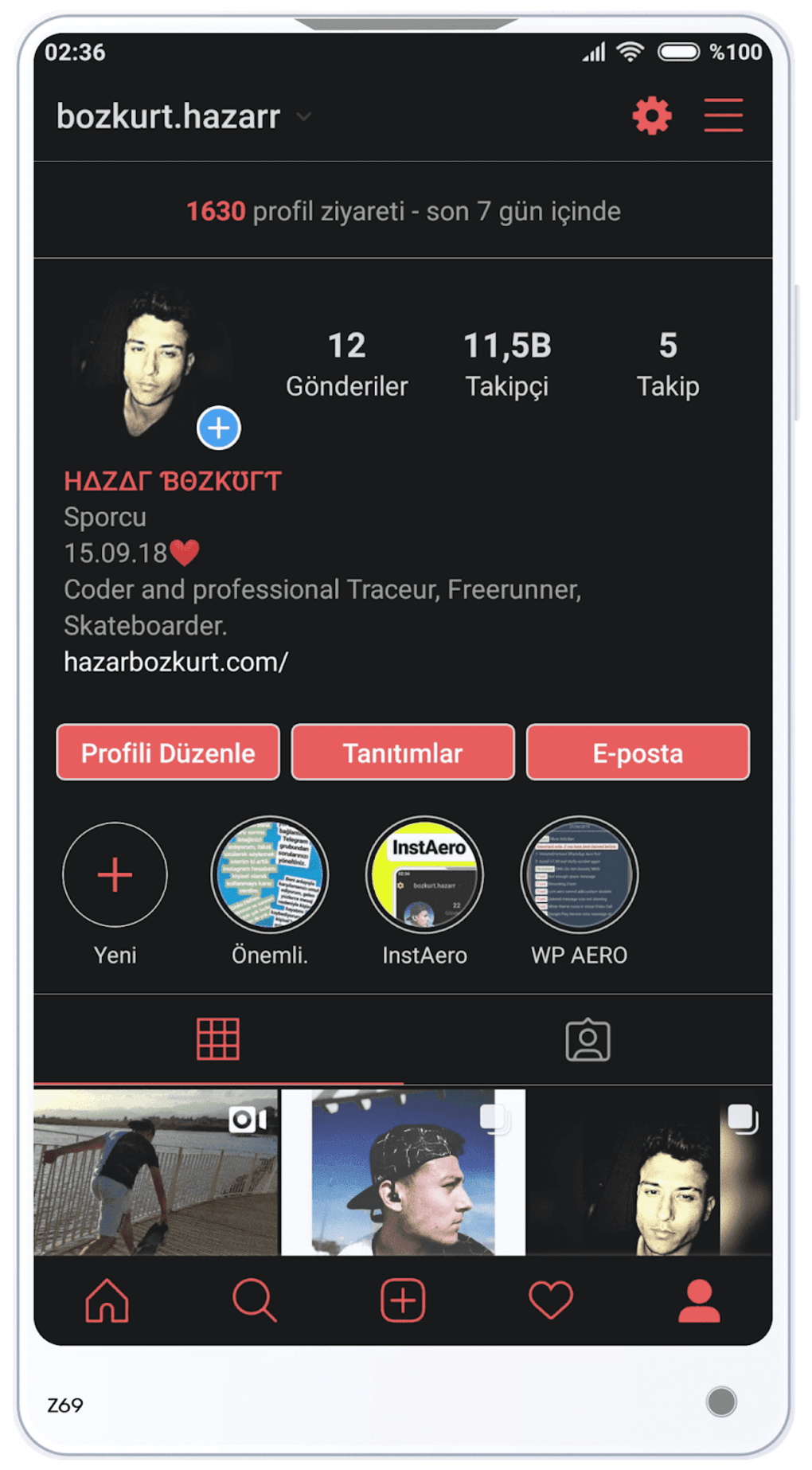

Download Insta Aero APK – Modded IG App, Free Instagram Tool, HD Video Viewing, Text Copying, Auto-Play Toggle
Overview
Insta Aero is a modded version of the official Instagram application, designed to enhance the user experience with additional features not available in the original app. It is a free-to-use desktop and mobile software tool that allows users to interact with Instagram content in new ways, such as viewing profile pictures and photos in higher resolution, copying bios and comments, and downloading media directly to their device galleries. The software is intended for individuals seeking greater control and functionality beyond what the official Instagram platform offers.
As a third-party modification, Insta Aero is not officially supported by Meta, the parent company of Instagram. This means it does not receive automatic updates through app stores like Google Play. Despite this, it can be used simultaneously with the official Instagram app without conflicts, making it a viable option for users who want to explore enhanced features while maintaining access to the original platform. The app is particularly useful for content consumers, social media enthusiasts, and users who value customization and advanced viewing capabilities.
Real-world usage scenarios include viewing Instagram content in HD, managing story visibility more efficiently, and navigating videos with greater precision. The developer did not provide additional information about the development team or company background. Users should be aware that the app is distributed outside official channels, requiring manual updates from trusted external sources.
Key Features & Capabilities
- HD Media Viewing – Enables users to view profile pictures, photos, and videos in higher resolution than the official app, improving visual clarity and detail.
- Direct Media Download – Allows users to save profile pictures and other images directly to their device’s gallery without relying on third-party tools.
- Auto-Play Toggle – Features a top-screen icon to control video autoplay, giving users the option to switch between automatic and manual playback.
- Video Navigation Controls – Includes fast forward, rewind, and skip-to-point functionality for videos, enhancing user control over content consumption.
- Text Copying Functionality – Enables copying of bios, comments, and other text content directly from Instagram posts and profiles.
- Story View Hiding – Automatically hides stories that have already been viewed, helping keep the feed clean and reducing visual clutter.
- Side-by-Side Usage – Can be used alongside the official Instagram app without conflicts, allowing users to switch between versions seamlessly.
These features are particularly beneficial for users who want to extract more value from their Instagram experience. For example, content creators may use the text copying function to gather inspiration, while casual users can enjoy videos with more control. The ability to download images directly supports offline viewing and content archiving. While the app enhances functionality, it does not modify the core social networking behavior of Instagram.
User Interface, Workflow & Performance
The user interface of Insta Aero closely mirrors the layout of the official Instagram app, ensuring a familiar experience for existing users. Navigation is intuitive, with core sections such as the feed, stories, and profile accessible through standard bottom or top navigation bars. The addition of new icons—such as the autoplay toggle and video controls—has been integrated into the existing UI without disrupting workflow efficiency.
Users can expect a smooth interaction flow when switching between features like video playback, image viewing, and text copying. The app maintains consistent responsiveness during typical usage, though exact performance details were not specified. The developer did not provide information about CPU or RAM usage, so real-world behavior may vary depending on device hardware and background processes.
Stability appears to be maintained across regular use, with no reported crashes or major bugs in the provided description. However, since the app is distributed outside official app stores, users should ensure they download from verified sources to avoid potential security risks. Performance observations are based on general software behavior patterns.
Compatibility & System Requirements
Insta Aero is designed for Android devices and is distributed as an APK file, meaning it is compatible with most Android smartphones and tablets. The software version and specific operating system requirements were not provided. Installation size information is also not available.
Exact system requirements were not listed. Users are advised to ensure their device meets the minimum specifications required for the official Instagram app, as Insta Aero is a modified version that may have similar or slightly higher demands. The developer did not specify whether the app supports older Android versions or newer ones.
Compatibility with iOS devices was not mentioned. As a result, it is not confirmed whether Insta Aero is available for Mac or Windows desktop systems. Users should verify platform support before attempting installation.
Pros and Cons
Pros
- Free to use with no in-app purchases
- Enhanced media viewing in HD quality
- Direct download of profile pictures and images
- Advanced video controls including fast forward and rewind
- Text copying functionality for bios and comments
- Auto-play toggle for better video management
- Can be used alongside the official Instagram app
- Does not store user login data beyond the official Instagram platform
Cons
- Not officially supported by Meta or Instagram
- Manual updates required from external sources
- May pose security risks if downloaded from untrusted websites
- No official app store distribution (e.g., Google Play)
- Compatibility with all devices is not guaranteed
- Potential for account bans due to third-party app usage
FAQ Section
Is Insta Aero safe to use?
Insta Aero does not store user login data outside the official Instagram platform. However, as a third-party app, it is not verified by Google Play or Meta. Users should only download the APK from trusted sources to minimize security risks.
Can I use Insta Aero with the official Instagram app?
Yes, Insta Aero can be used simultaneously with the official Instagram app. The two versions do not interfere with each other, allowing users to switch between them based on their needs.
How do I update Insta Aero?
Since Insta Aero is not distributed through official app stores, it does not receive automatic updates. Users must manually download the latest version from the developer’s website or other trusted platforms.
Is Insta Aero available for iOS or Windows?
The provided information does not confirm support for iOS or Windows. Insta Aero is currently distributed as an APK, which is exclusive to Android devices.
Does Insta Aero violate Instagram’s terms of service?
As a modded version of Instagram, Insta Aero operates outside the official terms of service. While the app does not store user data, using third-party apps may result in account restrictions or bans from Instagram.
Final Thoughts
Insta Aero presents a compelling alternative for users seeking enhanced functionality beyond the official Instagram app. With features like HD media viewing, video navigation, text copying, and direct downloads, it significantly improves the user experience for content consumers and social media enthusiasts. The ability to use it alongside the official app adds flexibility, while the absence of data storage outside Instagram enhances privacy.
However, users must be aware of the risks associated with third-party apps, including the need for manual updates and potential security concerns. Despite these limitations, Insta Aero remains a reliable and well-regarded modded tool within its community. For those who value control, customization, and advanced features, it offers a worthwhile upgrade to the standard Instagram experience.
Download Insta Aero now





.png)

